

Gravity Sketch VR 3D Modelling Is Now Free to Use
Gravity Sketch changed the VR 3D modelling landscape when it made its core software available free to individual users in 2021. The move opened an immersive design platform to a much wider audience, allowing artists, designers and other creators to experiment with 3D modelling without paying for an individual licence.
However, the platform has evolved since that original announcement. Gravity Sketch still offers a free plan in 2026, but its pricing structure and feature limits are different from the original free offering. The current free plan provides access to core creation tools, while advanced features, additional storage and broader file support are available through paid plans.
What Is Gravity Sketch?
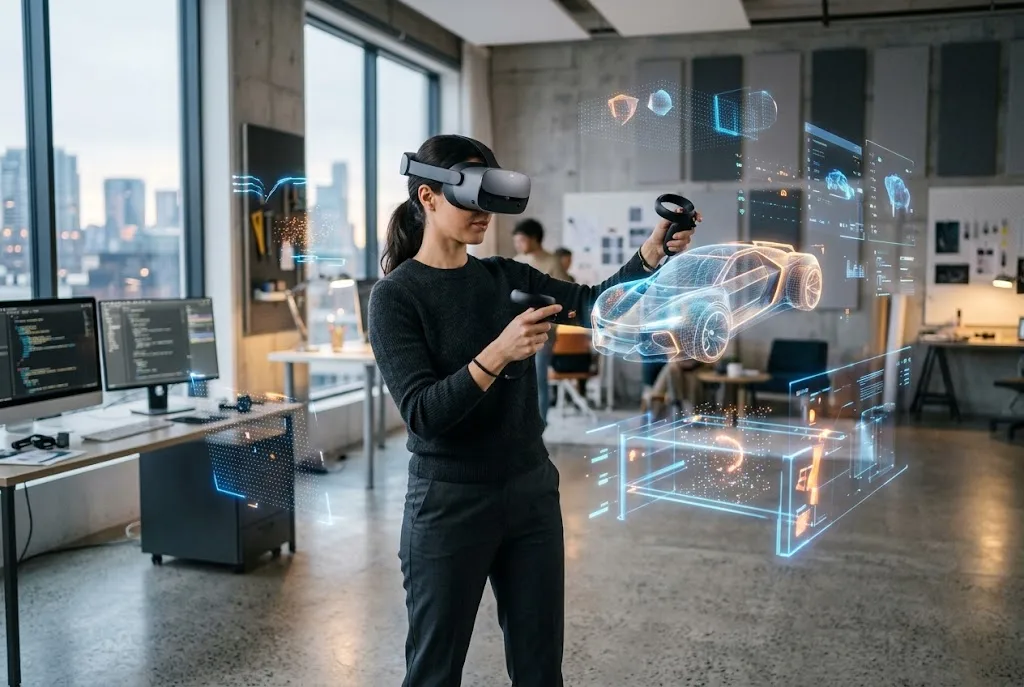
Gravity Sketch is an immersive 3D design platform that allows users to create and refine models directly in three-dimensional space. Instead of relying entirely on a traditional flat computer screen and mouse, users can enter a virtual environment and manipulate geometry using VR controllers.
The software is designed around early-stage design and creative exploration. Users can sketch ideas, create surfaces, work with geometry and examine designs at different scales.
Gravity Sketch is used across areas including industrial design, product development, transportation, entertainment and other creative workflows.
Why Was Gravity Sketch Made Free?
In January 2021, Gravity Sketch announced that its software would become free for individual users. The company said the move was intended to make the platform accessible to a more diverse group of creators.
At the time, the free version provided individual users with access to the core application and cloud-based storage. The change was significant because VR design software had traditionally been associated with specialist professional workflows and paid software.
Making the software available without an individual licence fee lowered the barrier to experimentation. Someone interested in VR modelling could try the platform before deciding whether they needed additional professional features.
What Could You Create in Gravity Sketch?
Gravity Sketch is built for spatial design rather than simply viewing existing 3D models. Users can create sketches and geometry directly in a virtual environment and develop ideas into more refined forms.
The platform supports several types of 3D content, including mesh, NURBS and subdivision-based workflows. Users can also work with reference images and imported 3D assets when developing concepts.
This makes the software particularly interesting for designers who want to understand shape, proportion and spatial relationships before moving into later-stage CAD or production software.
How VR Changes 3D Modelling
Traditional 3D modelling normally takes place on a two-dimensional screen. The designer uses a mouse, keyboard or graphics tablet to manipulate an object that appears inside a software interface.
VR changes that relationship by placing the designer inside the modelling environment.
Instead of looking at a small representation of a model on a monitor, a designer can move around the object, view it from different angles and work with it using hand movements and VR controllers.
This can make early-stage concept development feel more natural, particularly when the design depends heavily on shape and proportion.
Gravity Sketch Supports Real-Scale Design
One of the platform’s useful characteristics is the ability to work with designs at different scales. Designers can examine an object as a small concept or work around it at a more realistic physical scale.
For product and industrial designers, this can make it easier to consider ergonomics and proportions during the early stages of development.
Gravity Sketch’s current platform also supports immersive collaboration, allowing people to review and discuss designs in shared virtual spaces.
What Does the Free Gravity Sketch Plan Include in 2026?
The original 2021 announcement should not be confused with the platform’s current pricing model. Gravity Sketch still has a free plan, but the company introduced updated plans from February 2026.
The current Free plan provides unlimited access to Gravity Sketch’s core creation tools. These include sketching, surfacing and geometry tools.
Free users can also create unlimited Rooms for community collaboration and can collaborate with up to three people in a Room at the same time.
The current Free plan includes 150MB of cloud storage, excluding Rooms. It also supports unlimited imports of certain formats and unlimited exports in supported free-plan formats.
What Are the Limits of the Free Plan?
The free version is not identical to the professional version of Gravity Sketch. Some advanced features are reserved for paid plans.
According to Gravity Sketch’s current plan information, evaluation tools such as View Points and the Section Tool are not included with the Free plan. Drafts and offline working are also unavailable for free users under the current structure.
Free users also have restrictions on import and export formats and can collaborate with up to three people in a Room at once.
These limitations are important for professional users. Someone experimenting with VR design may find the free plan sufficient, while a professional designer or larger team may require a paid subscription.
What Is Gravity Sketch Plus?
Gravity Sketch Plus is the paid individual plan designed for freelancers, hobbyists and individual creators who need more advanced capabilities.
Plus provides access to the full creation and evaluation toolset, broader import and export support, unlimited Rooms and Drafts, enhanced sharing permissions and 3GB of cloud storage, excluding Rooms and Drafts.
Plus also allows up to five people to collaborate in a Room simultaneously.
Gravity Sketch currently lists Plus at £15.99 per month before VAT or sales tax, with an annual option also available.
Can You Use Gravity Sketch Without a VR Headset?
Yes, but there is an important distinction.
The full creation toolset requires a compatible VR headset. That is where users can draw, model, edit and export designs in the immersive environment.
Gravity Sketch also provides a desktop Screen experience for people who need to view, review or collaborate on 3D work without using VR hardware.
This means a team can include people working directly in VR alongside colleagues who participate from a conventional computer.
Which VR Headsets Work With Gravity Sketch?
Gravity Sketch supports a range of standalone and tethered VR headsets. Availability depends on the specific hardware and current software support.
The platform can be downloaded through supported headset app stores or through Steam for compatible setups. Anyone purchasing a headset specifically for Gravity Sketch should check the company’s current supported-hardware information before making a decision.
VR hardware changes quickly, so older compatibility lists should not be treated as permanent.
Can Gravity Sketch Be Used for Professional Design?
Yes. Gravity Sketch is not simply a VR drawing application. Its platform is designed around serious 3D design and collaborative workflows.
Professional users can create 3D concepts, review proportions, collaborate with colleagues and move designs into other stages of the product-development process.
The platform supports workflows involving transportation, industrial design and apparel and footwear, among other areas.
Its ability to integrate with existing design workflows is particularly important. Gravity Sketch supports exporting 3D content into formats that can continue to be used in other applications.
Gravity Sketch and CAD Workflows
Gravity Sketch does not necessarily replace traditional CAD software. Instead, it can complement CAD by giving designers a more intuitive environment for early-stage concept development.
A designer may use VR to explore a shape, develop proportions and communicate an idea before moving into a more precise engineering workflow.
This can be useful because early-stage design is often about exploring possibilities rather than immediately producing production-ready engineering data.
Gravity Sketch for Collaboration
Collaboration is one of the platform’s major strengths. Gravity Sketch allows users to work together in virtual Rooms and discuss designs in an immersive environment.
Current versions also support collaboration between VR and screen-based users, making the platform more practical for teams where not everyone has access to a headset.
Designers can therefore use VR for creation while other participants review or provide feedback from a desktop environment.
Why Free VR Modelling Matters
The original decision to offer Gravity Sketch free to individual users was important because it reduced the cost barrier associated with learning VR design.
Students, independent creators and hobbyists could experiment with spatial modelling without committing to an expensive professional software package.
Although the platform’s current free plan has more restrictions than the original 2021 offering, its continued availability still gives individuals an entry point into immersive 3D design.
Is Gravity Sketch Still Free?
Yes, Gravity Sketch still offers a Free plan in 2026. The important point is that “free” no longer means that every feature is included.
The current Free plan provides core creation tools, unlimited Rooms and limited cloud storage, while advanced evaluation tools, broader file support, Drafts and expanded collaboration are available through paid plans.
For someone who simply wants to explore VR modelling, the free plan can be a useful starting point. Professional users should compare the current Free and Plus features before deciding which plan fits their workflow.
Is Gravity Sketch Worth Trying?
For anyone interested in immersive 3D design, Gravity Sketch is worth exploring because it approaches modelling from a different perspective than traditional desktop software.
The ability to sketch and manipulate geometry directly in three-dimensional space can be particularly useful during the concept stage of a project.
The free plan also makes it possible to test the core workflow before paying for additional capabilities.
If your interests extend beyond VR design into the wider world of immersive technology, our coverage of Oculus VR and virtual reality provides another look at how VR technology is developing.
The Future of VR 3D Modelling
VR modelling is part of a broader shift towards spatial computing and more immersive design workflows. As VR hardware becomes more capable, designers can increasingly interact with digital objects in ways that feel closer to physical design.
Gravity Sketch’s development also shows that VR design is no longer limited to experimental demonstrations. Its platform now combines creation, collaboration, review and file management across VR and conventional screens.
For designers, the most interesting question is therefore not whether VR will completely replace traditional modelling software. It is how immersive tools can complement existing workflows and make early-stage design faster, more intuitive and easier to communicate.
Frequently Asked Questions
Is Gravity Sketch free?
Yes. Gravity Sketch currently offers a Free plan with core creation tools and unlimited Rooms, although advanced features and some file formats require a paid plan.
Was Gravity Sketch originally made free in 2021?
Yes. In January 2021, Gravity Sketch announced that its software would become free for individual users, significantly expanding access to its VR design tools.
Do you need a VR headset to use Gravity Sketch?
A compatible VR headset is required for the full creation toolset. Desktop users can still access Screen features for viewing, reviewing and collaborating on designs.
What is the difference between Free and Plus?
The Free plan provides core creation tools, while Plus adds the full creation and evaluation toolset, broader file support, more cloud storage, Drafts and collaboration with up to five people in a Room.
Can Gravity Sketch be used professionally?
Yes. Gravity Sketch is designed for professional design workflows including product development, transportation, industrial design and other creative disciplines.
Final Thoughts
Gravity Sketch helped make VR 3D modelling more accessible when it introduced free access for individual users in 2021. The platform has since evolved, but its free entry-level offering remains available.
In 2026, the key distinction is between the Free plan and paid options such as Plus. Free users can access core creation tools and collaborate in Rooms, while professionals who need advanced evaluation, broader file support, Drafts or additional storage may need a paid plan.
For anyone curious about designing in three dimensions rather than simply working with 3D software on a flat screen, Gravity Sketch remains an interesting tool to explore.
