

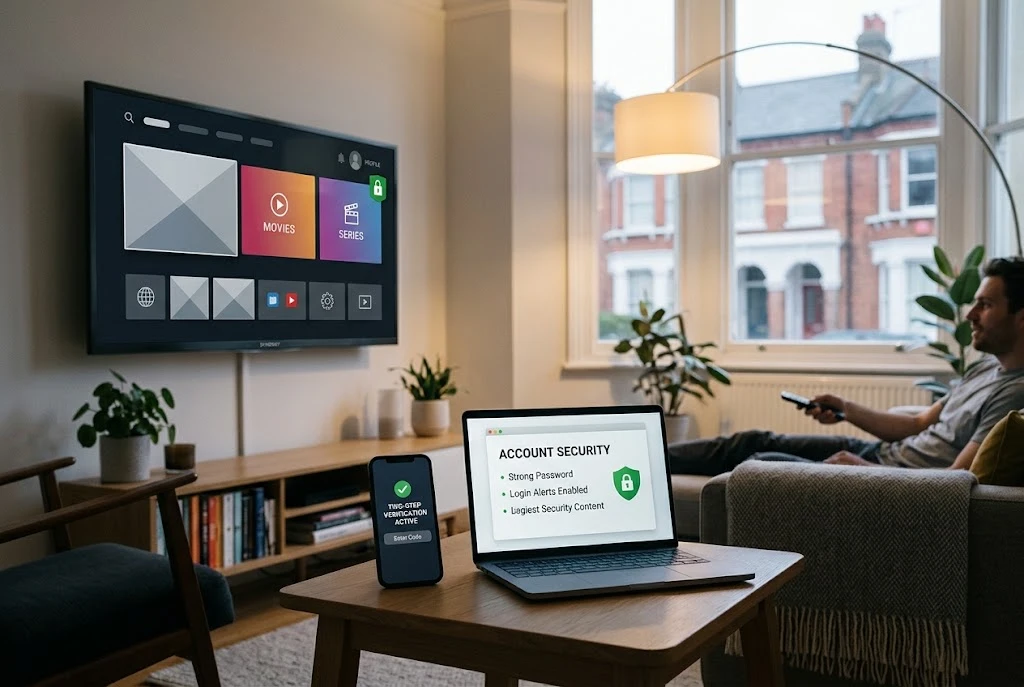
Your streaming account may hold your email address, payment information, profile details and information about connected devices. More importantly, if you reuse the same password across multiple services, a compromised streaming account could potentially create a wider security problem.
Understanding common streaming security risks and taking a few practical precautions can help protect your personal information and reduce the risk of identity theft.
Why Streaming Accounts Can Be Security Targets
A streaming account might not seem as important as online banking or email, but it can still contain information that is valuable to criminals. Depending on the service, your account may include personal details, billing information, saved payment methods, household profiles and a list of devices that have access to the account.
Password reuse can make the situation more serious. If a criminal obtains a password from one compromised service and you use the same password elsewhere, they may attempt to use those credentials against your other accounts.
For that reason, streaming account security should be treated as part of your wider online security rather than simply a way of protecting access to entertainment.
Common Identity Theft Risks for Streaming Users
Phishing Emails and Text Messages
Phishing is one of the most common methods used to trick people into handing over passwords and other sensitive information. A message may claim that your streaming subscription has expired, your payment has failed or your account needs to be verified.
These messages can look convincing and may imitate the branding of a genuine service. Rather than clicking an unexpected link, open the official streaming website or app yourself and check whether there is actually a problem with your account.
The UK National Cyber Security Centre advises users not to click suspicious links or enter information when they receive an unexpected phishing message.
Password Reuse
Using one password for several services increases the potential damage if that password is exposed. Criminals may test stolen credentials against email, shopping, social media and other online services.
Use a separate password for each important account. A password manager can make this much easier because it allows you to generate and store unique passwords without having to remember every one.
Fake Streaming Deals
Extremely cheap subscriptions, fake free trials and exclusive streaming offers can be used as bait. A fraudulent website may ask for your name, email address, payment details or login credentials before supposedly activating the offer.
Be particularly cautious if the offer arrives unexpectedly by email, SMS or social media. If an offer looks unusually attractive, verify it independently through the official streaming provider rather than trusting the link in the message.
Compromised Email Accounts
Your email account deserves particular attention because it may be connected to many other services. Someone who gains access to your inbox could potentially use password-reset messages to attempt to take control of additional accounts.
Protect your main email account with a strong, unique password and two-step verification where available. The National Cyber Security Centre specifically recommends two-step verification for important accounts, including email.
How to Protect Your Streaming Account
Good account security does not require complicated technical knowledge. A few basic habits can significantly improve your protection.
- Use a strong, unique password for your streaming account.
- Enable two-step verification if the service offers it.
- Keep your streaming apps and connected devices updated.
- Do not enter login details after following unexpected links.
- Check recent account activity where the service provides that option.
- Review connected devices and remove ones you no longer use.
- Never share passwords or verification codes with someone who contacts you unexpectedly.
- Consider using a reputable password manager for your online accounts.
Two-step verification, also known as 2FA or MFA on some services, adds another authentication step. This can make it considerably harder for someone to access an account using only a stolen password.
Secure Your Smart TV and Streaming Devices
Protecting the account is only one part of streaming security. The devices used to access streaming services also need attention.
Smart TVs, smartphones, tablets, computers and dedicated streaming devices can all become part of your digital environment. Keep their operating systems, applications and firmware updated whenever security updates are available.
The National Cyber Security Centre recommends installing software and app updates because they can include important security fixes.
If you sell, give away or replace a device, remember to sign out of your accounts and follow the manufacturer’s instructions for resetting the device. You should also review your streaming account afterwards to make sure the old device no longer has access.
How to Recognise a Fake Streaming Message
Suspicious streaming messages often attempt to create urgency. They may tell you that your account will be closed, your payment has failed or you must verify your details immediately.
Warning signs can include:
- An unexpected request to verify your account.
- A message claiming that your payment has failed when you were not expecting a payment problem.
- A link to a website address you do not recognise.
- A request for your password or security code.
- An unusually cheap subscription or free-trial offer.
- Unusual spelling, grammar or formatting.
- Pressure to act immediately.
Do not judge a message purely by its appearance. Even professional-looking messages can be fraudulent. Instead, access the streaming provider through its official website or app and check your account directly.
What to Do If Your Streaming Account Has Been Hacked
If you notice unfamiliar activity, take action promptly. Start by changing the password for the affected account and make sure the new password is unique.
If you have used the same password elsewhere, change those accounts as well. The National Cyber Security Centre recommends changing reused passwords when an account has been compromised because criminals may try the same credentials on other services.
You should also review your account’s connected devices and sign out of sessions you do not recognise. Where available, activate two-step verification and check your account’s recovery information.
If you have lost access to the account, use the streaming provider’s official account-recovery process. Avoid relying on recovery links sent through suspicious emails or messages.
What If You Have Shared Personal or Payment Information?
If you have entered your password, banking information or card details into a fraudulent website, act quickly.
If you reused the exposed password on other services, change those passwords immediately. If banking or card details have been exposed, contact your bank or card provider using an official contact method.
The National Cyber Security Centre advises people who have shared sensitive information with scammers to take immediate protective steps, including contacting their bank where appropriate and changing reused passwords.
If you believe you have been a victim of fraud, follow the relevant UK reporting process. For England, Wales and Northern Ireland, fraud can be reported through Report Fraud. Scotland has separate arrangements through Police Scotland.
Protect Your Wider Digital Identity
Streaming account security is only one part of protecting your digital identity. The same principles should be applied to email, online shopping, social media, banking and other important services.
Use unique passwords, enable two-step verification where available and keep your devices updated. It is also worth reviewing privacy settings and limiting the amount of personal information you make publicly available online.
For more technology-related guidance and topics, visit the Technology category on WebVibe.uk.
Be Careful With Personal Information
You should not need to provide sensitive information simply because an unexpected message claims to come from a streaming provider.
Before entering personal details, check how you reached the website and whether the address belongs to the legitimate service. If you are uncertain, close the message and access the provider directly through a trusted route.
Also avoid sharing passwords, one-time security codes or authentication details with anyone who contacts you unexpectedly. Legitimate support processes should not require you to disclose sensitive authentication information to a stranger through an unsolicited message.
Frequently Asked Questions
Can a streaming account lead to identity theft?
A compromised streaming account can expose personal or payment-related information, while reused passwords can potentially give criminals access to other accounts. Protecting streaming credentials is therefore part of wider online security.
Should I click a link saying my streaming payment has failed?
It is safer not to use an unexpected link. Open the official streaming service directly through its known website or app and check your payment status there.
What should I do if someone has accessed my streaming account?
Change the password immediately, make it unique, review connected devices and account activity, and enable two-step verification if available. If you used the same password elsewhere, change those accounts too.
Is password reuse dangerous?
Yes. If one service suffers a breach or your password is obtained through phishing, criminals may try the same credentials against other services. Unique passwords reduce this risk.
What should I do if I entered my details on a fake streaming website?
Change any exposed passwords immediately, particularly on accounts where the same password was reused. If you entered bank or card details, contact your bank or card provider promptly using an official contact method.
How can I make my streaming account more secure?
Use a unique password, enable two-step verification where available, keep your devices and apps updated, review connected devices and remain cautious about unexpected emails, texts and offers.
Final Thoughts
Streaming should be convenient, but convenience should not come at the expense of account security. Phishing messages, password reuse, fake offers and compromised devices can all create opportunities for criminals to obtain personal information.
Using a unique password, enabling two-step verification, keeping devices updated and checking suspicious messages through official channels can significantly improve your security.
If you believe your account has already been compromised, act quickly. Change affected passwords, secure other accounts that used the same credentials, remove unfamiliar sessions and contact the relevant provider or financial organisation where necessary.
For official UK guidance on phishing and recovering compromised accounts, consult the National Cyber Security Centre’s guidance on recovering a hacked account.
